
You can manage the selections (locations) that are available for your organization in the Smart Office app in the Map Editor by editing POIs (points of interest). Week Planner selections are defined by adding the tag week_planner in the POI tags. The name of the Week Planner selection will be title of the POI.
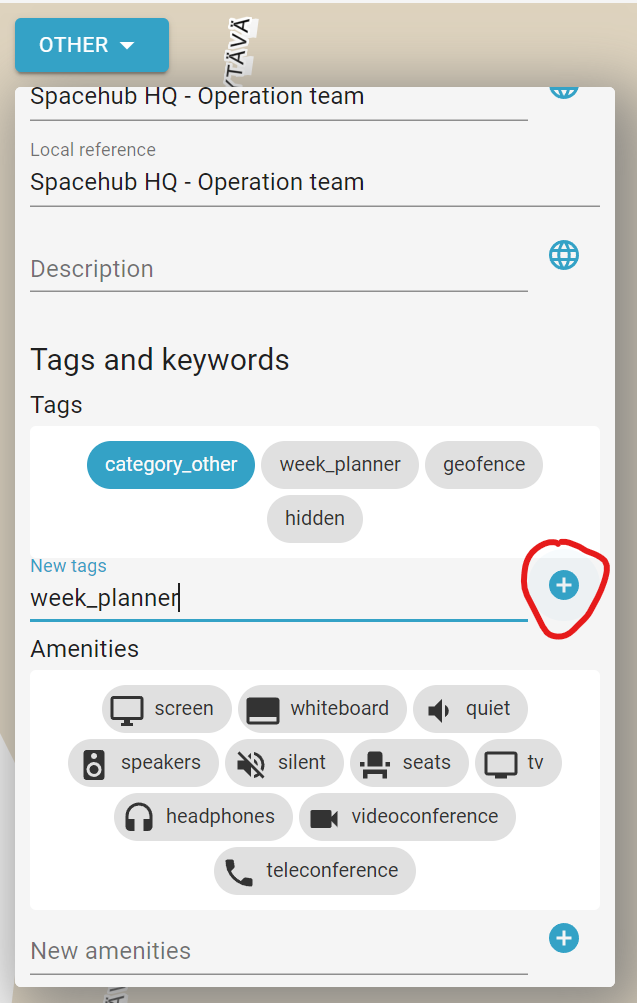
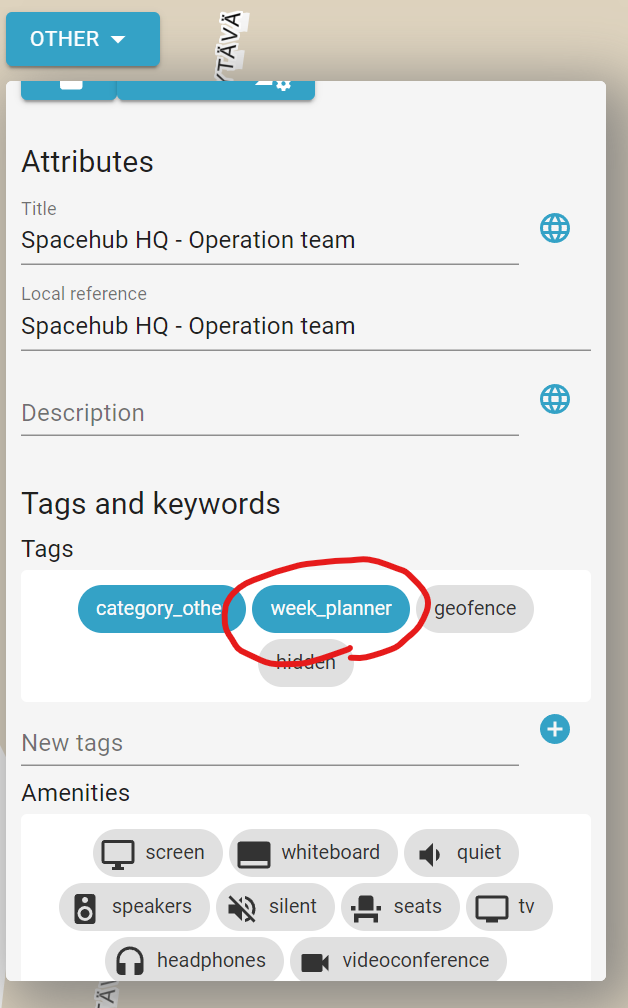
To add a new Week Planner selection add the tag week_planner in the POI tag details. If a suitable POI does not exist in the map data you need to create that first.
To remove a Week Planner selection find the corresponding POI for the Week Planner location you wish to remove and unselect the tag week_planner in the POI tag details. The tag color will turn from blue to grey which means that is unselected.
To edit an existing Week Planner selection find the corresponding POI for the Week Planner location you wish to edit and select it.
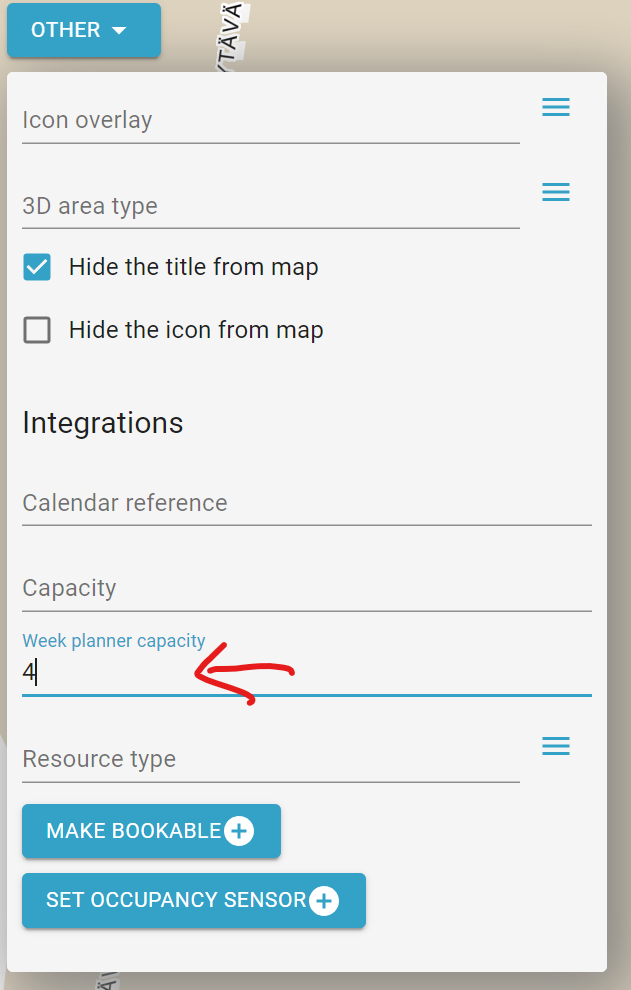
Week Planner selection capacity: to add or edit capacity for the Week Planner Selection scroll all the way down to integrations sections in POI details and edit the week planner capacity value.
Copyright Steerpath. All rights reserved.
Comments
0 comments
Please sign in to leave a comment.